
Name-Based Case Searches
No case number? A name search still works. Begin at the correct court, though. Circleville Municipal Court offers a countywide Record Search by Name/Company that covers adult traffic, misdemeanor criminal, civil, and small-claims cases. Common Pleas case information sits behind the CourtView gateway, which shows a visual CAPTCHA before the public docket and name-search screens appear. Probate and Juvenile matters run through the separate CaseLook path where access is permitted. Remember what a name hit really is: a locator. It is not a certified record, and it is not a finding about anyone.
- Identify the likely court from the matter type. Adult traffic and misdemeanors go first to Circleville Municipal Court; felony, general civil, and domestic matters go to Common Pleas; Probate and Juvenile use their own court route.
- For Circleville, enter a meaningful Name/Company term and select Civil, Traffic/Criminal, or All when that distinction is known.
- Use a case number, ticket number, filing date, or hearing date to narrow a broad name result when the form permits it.
- Open the matching court record and preserve the displayed case identifier, court, case type, and search date before relying on any event information.
The same name can attach to more than one person or business in Pickaway County. Check the court and the full case identifier before treating a docket event as part of a particular case.
Pickaway Docket Search Fields
One Pickaway search form has fully published fields. It belongs to Circleville Municipal Court's public Record Search. Its form marks no field as required, so treat required status as unspecified. Send at least one meaningful criterion rather than a blank or overly broad request. The labels, controls, and limits below come straight from that visible municipal form.
| Field Label | Type | Required | Options / Format Notes |
|---|---|---|---|
| Name/Company | Text, maximum 30 characters | Unspecified | General party, name, or company search. No exact-name or wildcard instructions are displayed. |
| Case Number | Text, maximum 8 characters | Unspecified | Case-number query. The page has no prefix or year-format legend. |
| Ticket Number: (Traffic & Criminal only) | Text, maximum 23 characters | Unspecified | Not for a Civil selection. |
| Hearing Date, Month | Dropdown | Unspecified | Jan through Dec plus XXXXX. |
| Hearing Date, Day | Dropdown | Unspecified | 01 through 31 plus XXX. |
| Hearing Date, Year | Text, maximum 4 characters | Unspecified | Default text is Year. |
| File Date, Month | Dropdown | Unspecified | Jan through Dec plus XXXXX. |
| File Date, Day | Dropdown | Unspecified | 01 through 31 plus XXX. |
| File Date, Year | Text, maximum 4 characters | Unspecified | Default text is Year. |
| Birth Date: (Traffic & Criminal only), Month | Dropdown | Unspecified | Jan through Dec plus XXXXX. |
| Birth Date, Day | Dropdown | Unspecified | 01 through 31. |
| Birth Date, Year | Text, maximum 4 characters | Unspecified | Default text is Year. |
| Case Type | Dropdown | Unspecified | All, Traffic/Criminal, or Civil. |
| Show Matches | Dropdown | Unspecified | 10, 25, 50, 100, or 150. This limits results. |
| Begin | Submit button | Not applicable | Exact visible button label. |
The Circleville Municipal Court Record Search is the source of this captured interface.
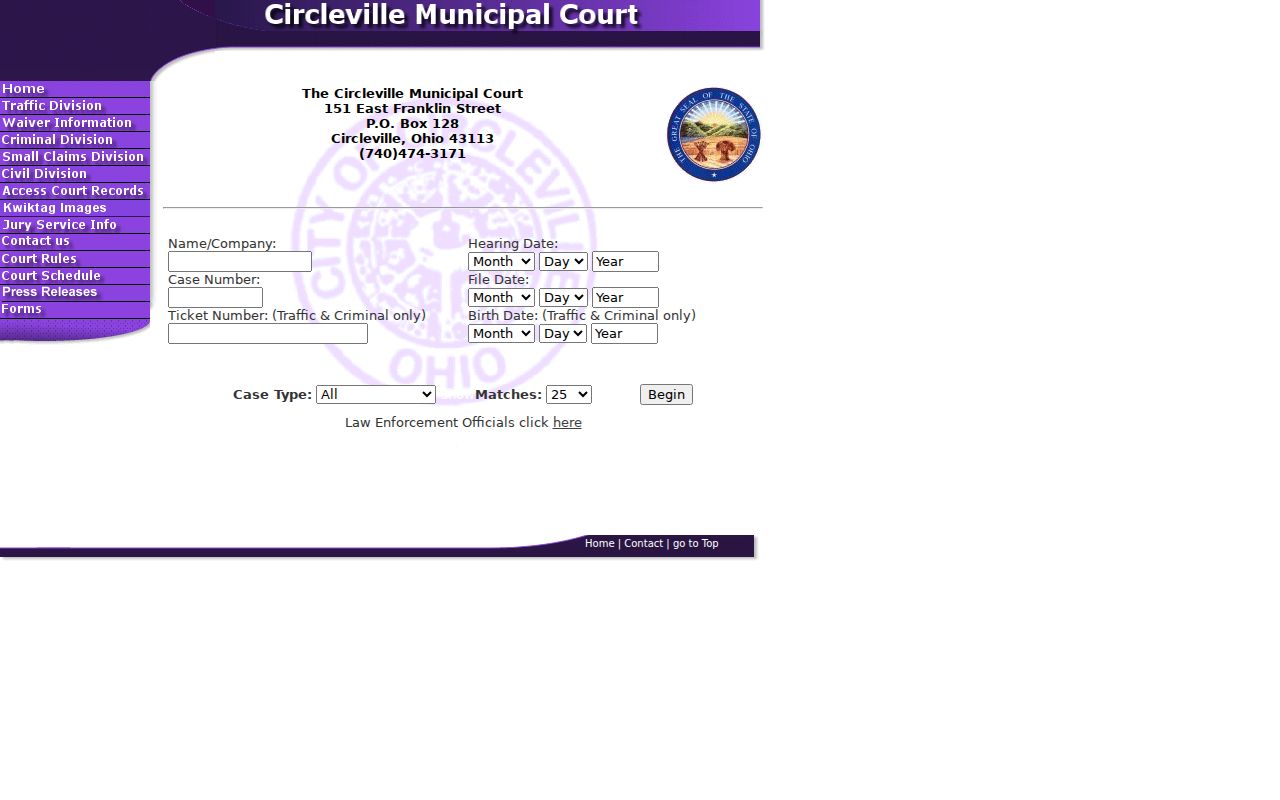
Those visible fields are what set the local municipal search apart from the separate Common Pleas and Probate or Juvenile routes.
Case Number Searches
A case number beats everything for precision. It points to a single court file. Circleville's visible field allows a maximum of eight characters. But the form publishes no required prefix, year pattern, or code legend. The safe format statement is Case Number: maximum 8 characters; inventing a sample would mislead. A separate ticket-number field exists and is marked Traffic and Criminal only. Name and number searches answer different questions. A name search surfaces possible matches. A case-number search should narrow things down. It can then tie the docket to a request for a specific document or hearing. CourtView and CaseLook reveal their case-number fields only past their gateways. So do not guess those fields from another court's portal. Circleville's payment material describes generic letter-suffixed companion charge numbers for one ticket. That is an illustration, not a published format for every municipal case. Copy each identifier exactly as it appears on the citation, notice, or record.
Pickaway Docket Search Gateway
CourtView eServices is the public entry point for Pickaway County. It serves Common Pleas civil and criminal case information. The gateway shows Home, Log on, eFile, attorney eFiling registration, and public eFiling registration. There is also a CAPTCHA response field and a Click Here action that continues after agreement. Past the gateway, per the site's own description, case information leads to docket and name-search screens. Available documents on file can be directly accessed and printed. Those visible controls say nothing about the labels that appear after the CAPTCHA. The gateway itself publishes no name, case, status, attorney, date, or document filter. So treat any claim about hidden search fields with caution. CourtView also states that some documents are unavailable online under Ohio law. Protection-order and stalking civil-protection records are excluded from the internet CourtView forum. The CourtView eServices gateway is the official source. It carries the screen layout and its access notice.
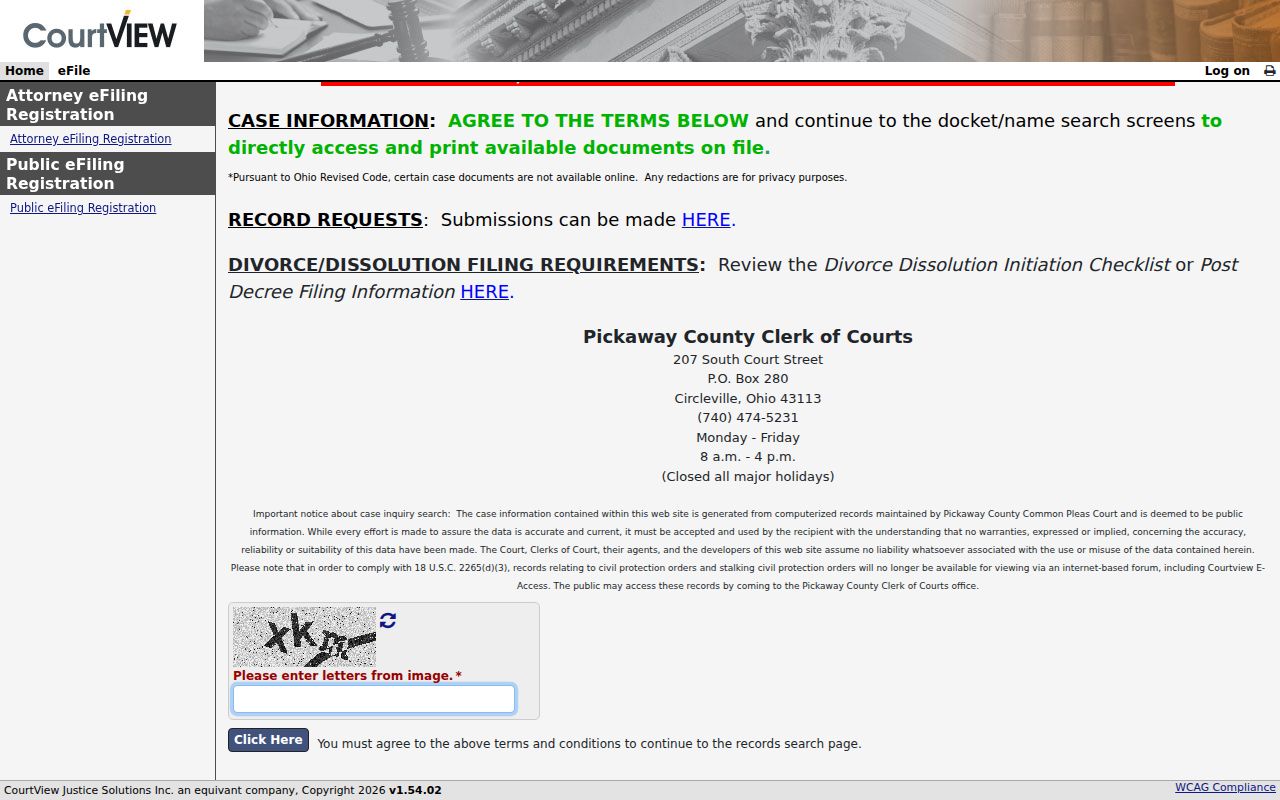
Treat the public gateway as a case-information route. Its eFiling links are filing channels, not proof that every document is public online. Note: CourtView's public gateway requires terms and visual verification before its post-gateway search controls become available.
Case Search Results Explained
Read any Pickaway result as a court-specific locator and chronology, nothing more. The municipal form shows what can be searched. But no public example details every field of every result. CourtView limits its available documents, and CaseLook warns that its data can lag. The inventory below separates what these courts publish. What must be confirmed sits in the actual case record at the clerk's office.
| Case identifier | The court-assigned locator. Record it exactly as displayed and pair it with the court. |
|---|---|
| Name or company | Circleville accepts Name/Company as a search input. Individual result-role display was not retained for a field-by-field claim. |
| Case type | Circleville lets a searcher choose All, Traffic/Criminal, or Civil. Confirm the displayed record's court and category. |
| Filing or hearing date | Circleville exposes both as search controls. A date search should be followed by review of the matching case and current notice. |
| Docket entries and documents | Do not assume universal fields. CourtView makes only available documents accessible, and the municipal detail-field inventory was not fully captured. |
| Disposition, balance, judge, or related cases | These were not reliably captured from a public municipal case detail during research and should not be presumed from the search form. |
A docket entry can show that an event occurred in a case. It does not certify a result. Nor does it prove a filing's content, or replace the signed order and the clerk-held record.
Pickaway Probate Case Search Delay
CaseLook handles Probate and Juvenile cases for Pickaway County. It stands apart from the county's other docket systems. So treat it as its own route. The entry screen is titled CaseLook Notice and Disclaimer, and it offers Cancel and Continue. Choose Continue and the system issues a time-limited acceptance link that opens the search. Expect a lag, though. The notice warns that a filing or judicial action can take at least 24 hours to post. Sometimes it takes longer. Anyone who needs verified information should contact the court during regular hours.
The acceptance session expires quickly. So plan to use the Pickaway Probate Court CaseLook notice directly rather than relying on saved links. That official page spells out the access terms in full. A careful Pickaway docket search treats it as the starting point. Guessing at Probate or Juvenile case numbers or statuses gets you nowhere.
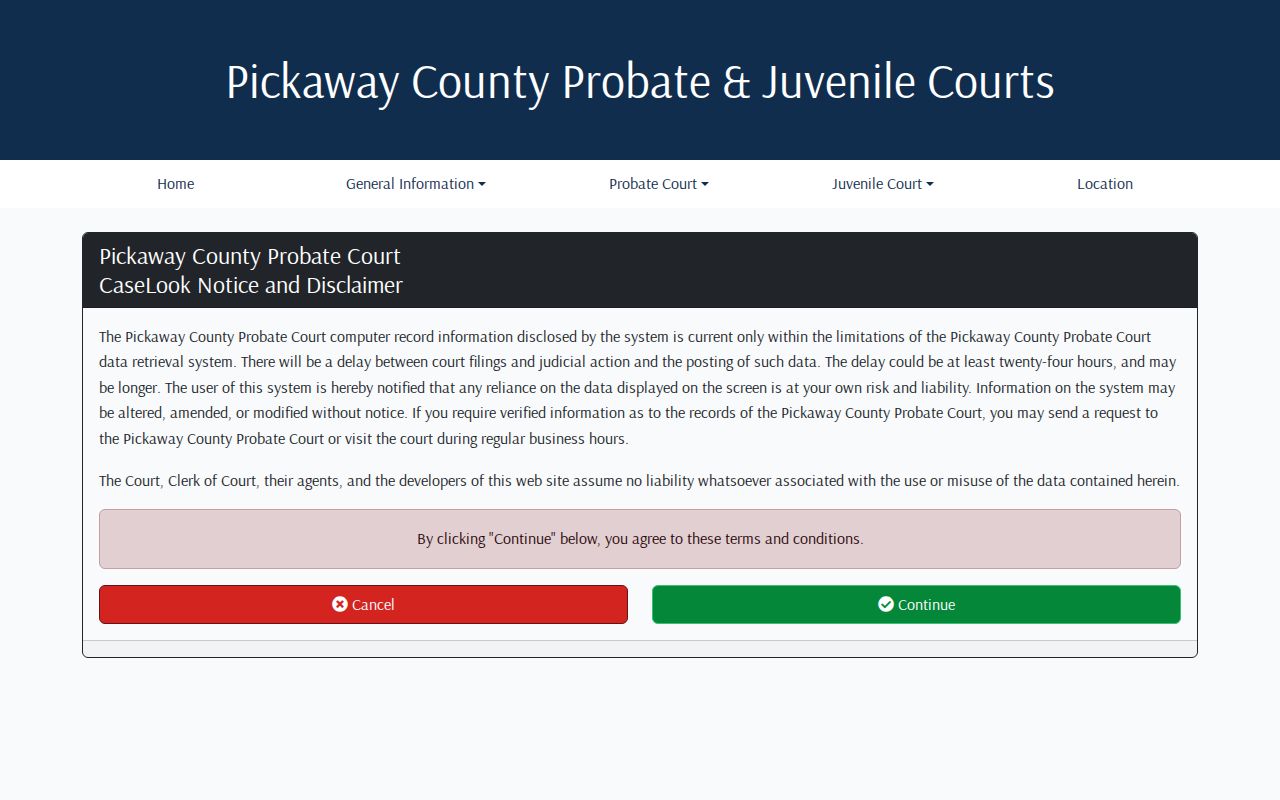
CaseLook can still point you toward a public record. But when accuracy matters, a direct request to the court or a visit in person remains the reliable fallback for verified information.
Two Ways to Search: County and State
Ohio does not offer one statewide trial-court docket portal covering all 88 counties. Searching happens in local, court-specific systems. The state judiciary contributes directories and local rules. The actual Pickaway County docket work runs through each court's own tools. A local case belongs to county court records. Unsure which court holds a matter? Turn to the Ohio Supreme Court's directory. It helps you identify the court and find its official materials. Keep the distinction clear, though. A state directory helps you locate a court; it is not a statewide case-results database.
| Pickaway Court-Specific Search | Ohio State Judiciary Resource |
|---|---|
| CourtView for Common Pleas civil, felony criminal, and domestic case information; Circleville Record Search for municipal matters; CaseLook for Probate and Juvenile where permitted. | Trial-court directory, local rules, and aggregate court resources. |
| Can lead to an individual local court docket or record search. | Does not supply one public search across every Ohio trial-court case. |
| Best when the Pickaway court is known or can be identified from the matter. | Best when locating the correct court and official local route. |
Federal cases live in an entirely separate court system. You will not find them in CourtView, Circleville Record Search, or CaseLook. For that side, the official PACER fees page and the Southern District of Ohio Bankruptcy Court's CM/ECF case-information page set out how federal access works.
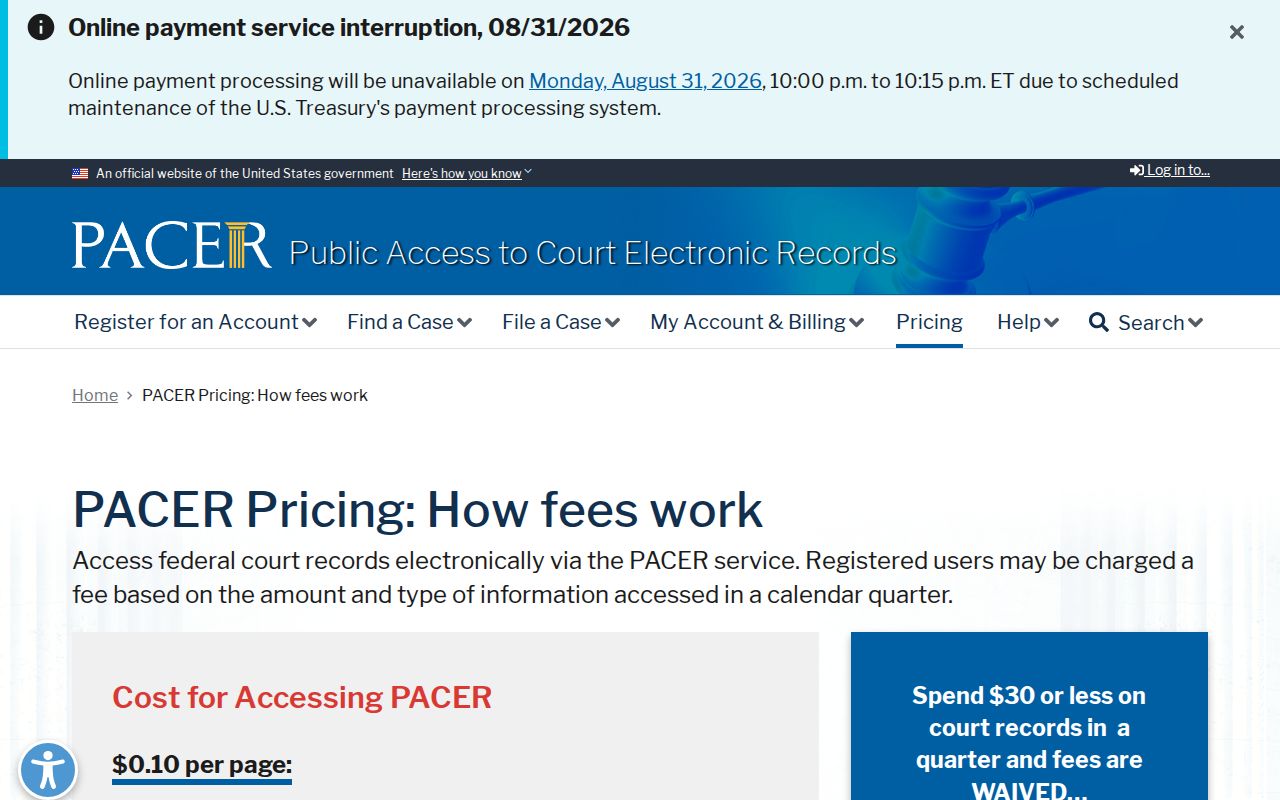
PACER belongs to the federal side, so it cannot replace a Pickaway trial-court docket search. For bankruptcy, the Southern District Bankruptcy CM/ECF case-information page documents the separate route.
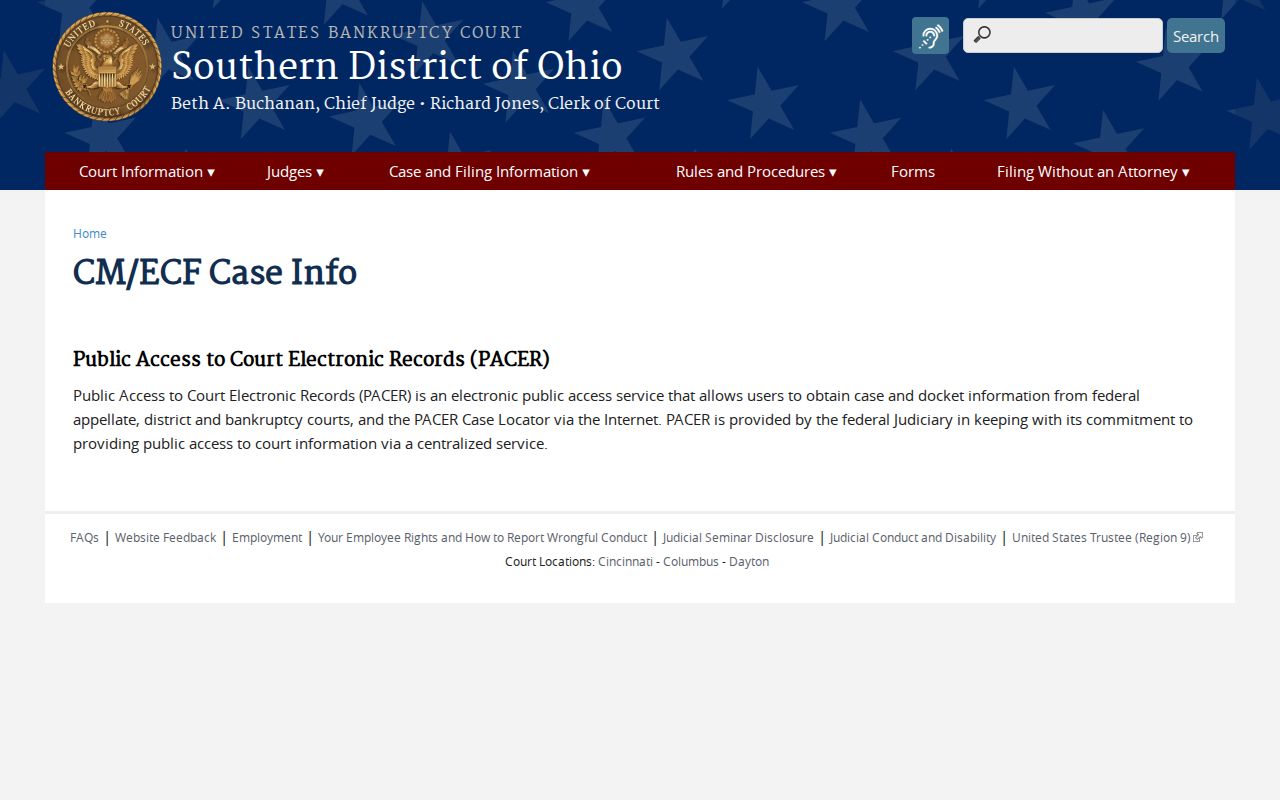
Bankruptcy case information follows the federal path, not the three local Pickaway search systems.
Pickaway Docket Search No-Match Log
A no-match result can mean several things. The spelling you typed may differ from the filing. The case might sit in a different court. It could lag behind in CaseLook, or fall under a remote-access restriction. Never conclude from one empty portal that a case does not exist. Instead, write down the details. Note which court you searched, the exact spelling or case number, and the date of the search. Include any limits or filters the screen showed.
- Repeat the search with the case number if one appears on a notice, citation, order, or prior record.
- Check the adult and juvenile split, then the Common Pleas, municipal, or Probate and Juvenile court path that fits the matter.
- For Circleville, review the Case Type choice and whether a ticket or birth-date field applies only to Traffic and Criminal.
- For a fresh Probate or Juvenile event, allow for CaseLook's stated at-least-24-hour posting delay and verify with the court when needed.
That brief log serves two purposes. It sharpens a later records request, and it stops a mismatched or incomplete search from hardening into a false conclusion.
Which Cases Stay Restricted
Remote search access and public inspection are not the same thing. Ohio's court-record framework keeps records open. It shields information that law, rule, or court order makes confidential. The Pickaway Clerk policy lists examples. These include protected personal information, attorney-client and trial-preparation material, ongoing-investigation records, medical records, BMV records, sealed records, grand-jury material, and protected residential or family details of certain public servants.
Sealed or expunged material, juvenile records, and some remotely restricted documents may be limited or absent online. CourtView goes further for civil-protection cases. It removes civil-protection and stalking civil-protection records from its internet forum. It also tells the public to ask the Clerk's office about access. Even so, a missing screen proves nothing. It does not establish a sealed record, destruction, or a final outcome. Ask the proper custodian for the releasable record. Or ask for a written explanation of any denial or redaction.
Access rule: Ohio Revised Code 149.43 supports inspection and copies of public records, while Ohio Revised Code 2303.901 recognizes court dockets, files, and indexes alongside protected personal-identification and restricted material.
Pickaway Case Search Request Details
A thin online result is still useful. It tells you exactly what to ask the right office for. The Common Pleas Clerk takes public-record requests by case number, party name, and pleading title. Give the filing date and how you want the reply sent. Web, email, mail, and in-person all work. The office estimates three to five business days to answer. Circleville Municipal and Probate or Juvenile dockets sit with their own clerks. Contact those courts directly. Skip the Common Pleas form.
A Probate search can lead to fees. The Pickaway Probate costs and fees page lists what that division charges. Those figures apply to Probate only, not to another court.
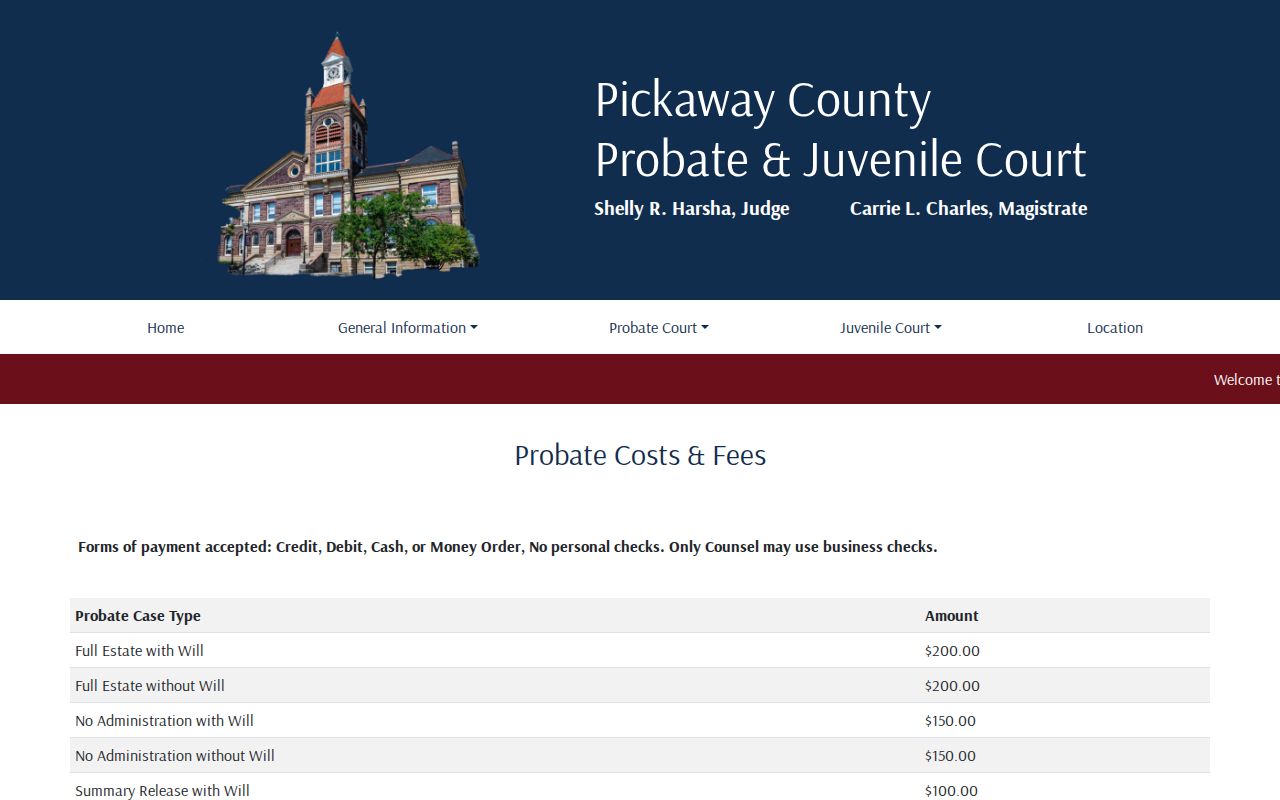
Name the court, the case, the document, and the date. A request that specific wins. It beats asking for everything tied to a name. The Pickaway County court case records page lays out the full custodian and copy-request routes. Remember that a public portal result can guide your request. Only the court or clerk holds the record that can be verified.